Amazon OneLink vs SlashLink: Free Is Not Always Cheaper
Compare Amazon OneLink and SlashLink by supported marketplaces, matching controls, analytics, mobile behavior, and pricing.

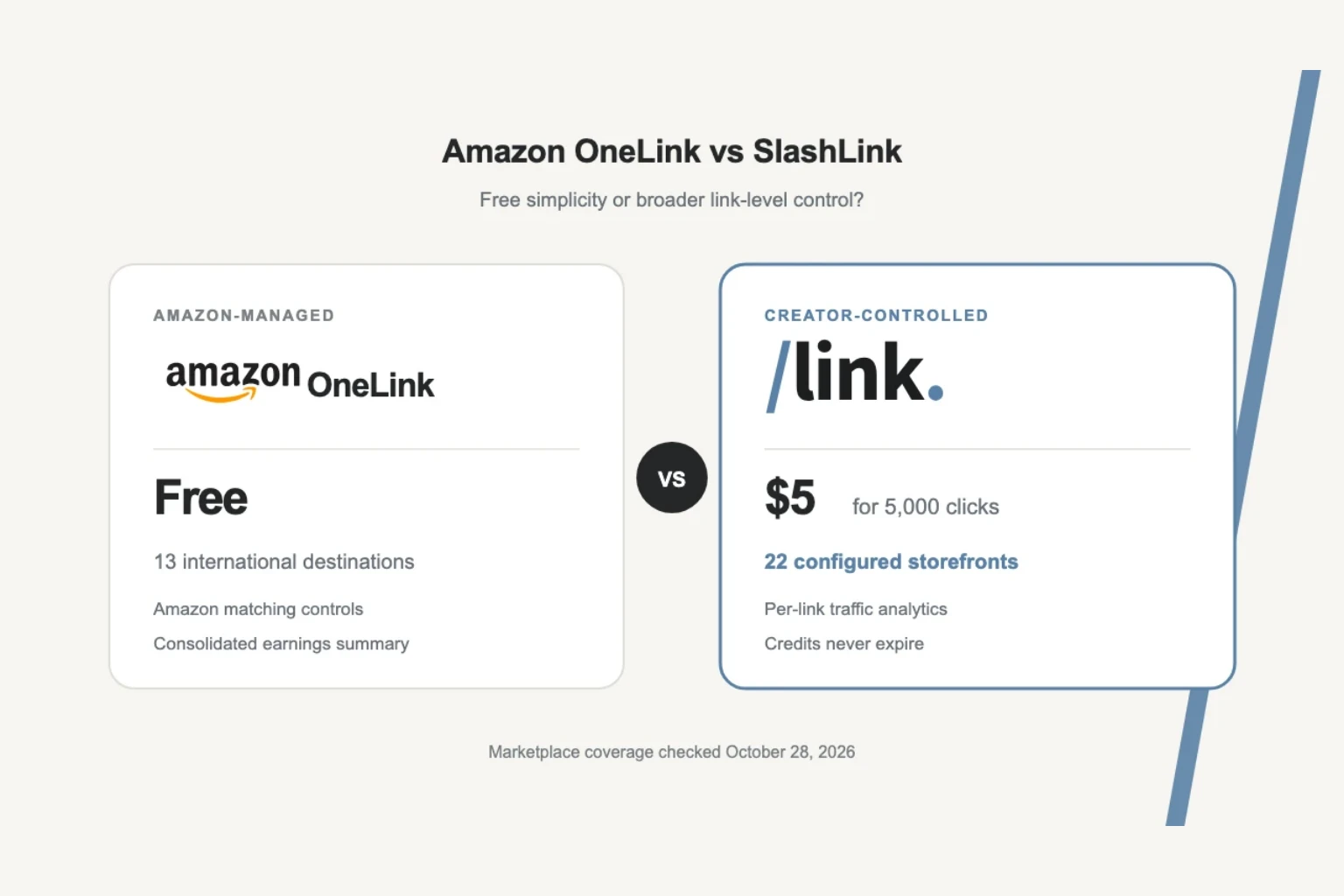
Amazon OneLink is the natural starting point for affiliates who want to localize Amazon links. It is free, maintained by Amazon, and sends eligible international visitors to a supported local storefront.
For many affiliates, that is enough. The tradeoff appears when you want coverage beyond Amazon’s current OneLink destinations, analytics for each individual link, or a short link you control independently of the original Amazon URL.
SlashLink takes that next step. It supports 22 configured Amazon storefronts, tracks link-level traffic, and uses prepaid click credits instead of a monthly base subscription.
This is a practical Amazon OneLink vs SlashLink comparison, including where OneLink remains the better choice.
How Amazon OneLink works
OneLink is part of Amazon Associates. After a one-time setup, Amazon can redirect eligible international visitors from an Amazon affiliate link to a supported local Amazon storefront. Commissions are then calculated under the destination country’s Associates program.
Amazon provides three matching preferences:
- Exact match redirects when the same product is available locally. Otherwise, Amazon may show a search experience.
- Close match can redirect to the exact product, a similar product, or a local search based on the product title. Amazon enables this preference by default.
- Do not redirect leaves visitors on the storefront used by the original link.
The preference is set per tracking ID. Amazon also provides a matching preview so you can check where a given product link is expected to send an international visitor.
OneLink is free. There is no click pack, base fee, or separate localization subscription.
Amazon OneLink countries
Amazon’s current OneLink documentation lists 13 international destination marketplaces:
Canada, United Kingdom, Spain, Germany, France, Italy, Japan, Singapore, Netherlands, Saudi Arabia, Poland, Sweden, and Australia.
Amazon may also send visitors from neighboring countries to the nearest supported store. For example, its documentation says a visitor in Greece or Iceland may be sent to Amazon UK. That is useful, but it is not the same as having a local affiliate storefront and tag for every country.
SlashLink’s routing configuration contains 22 Amazon storefronts, including India, United Arab Emirates, Mexico, Brazil, Belgium, Egypt, Ireland, and Turkey in addition to the major OneLink destinations.
The distinction matters when a meaningful share of your audience lives outside OneLink’s destination list. A newsletter, YouTube channel, or blog can have a global audience even when the creator publishes from one country.
What OneLink does well
OneLink is not a cut-down or broken product. It has several strong advantages.
It is genuinely free. There is no localization bill to justify while your affiliate traffic is small.
Amazon maintains the routing. Product matching, program changes, and supported destination updates stay within Amazon’s system.
Matching is configurable. Exact match, close match, and no redirect give you control over how aggressive localization should be.
It supports mobile visitors. Amazon explicitly documents mobile support, so a comparison should not imply that OneLink is desktop-only.
It includes global earnings reporting. Linked stores can appear in a consolidated earnings summary with a country-level split. Detailed reports remain available through the relevant store IDs.
If your audience is concentrated in the supported destinations and Amazon’s reporting answers your questions, OneLink is difficult to beat on price.
Where SlashLink adds control
SlashLink is useful when you need information or routing options outside OneLink’s core workflow.
More configured storefronts
SlashLink supports 22 Amazon marketplaces. That broader list includes several large creator audiences that are not in Amazon’s current OneLink destination list, including India, UAE, Mexico, and Brazil.
You still need a valid Associates account and tag for every marketplace where you want to earn. SlashLink does not turn one affiliate tag into a global tag.
Analytics for each link
Amazon’s global reporting focuses on earnings across linked store IDs. SlashLink reports traffic for the individual links you create, including country, device class, and referrer.
That makes it easier to answer questions such as:
- Which product link attracted the most international traffic?
- Did a newsletter issue drive clicks from India or the UK?
- How much traffic came from mobile or an in-app browser?
- Which website or social platform referred the click?
This is click analytics, not revenue attribution. Amazon Associates remains the source of truth for ordered items, commissions, and payouts.
A reusable short link
Amazon says OneLink works with Amazon full links and Amazon short links, but not links wrapped in a third-party shortener. SlashLink gives you a dedicated go.slashlink.app URL that performs the country routing itself.
That link can be reused wherever you publish, while the underlying destination rules and affiliate tags stay manageable in one place.
Mobile-aware Amazon links
On compatible mobile devices, SlashLink uses Amazon HTTPS Universal Links and Android App Links. When the installed Amazon app accepts the link, it can open there; otherwise the same HTTPS URL falls back to the web storefront.
This is not a guarantee that every device or in-app browser will open Amazon’s app. The final behavior depends on the operating system, browser, app installation, and Amazon’s own link association.
Prepaid clicks and optional branding
SlashLink starts at $5 for 5,000 clicks. Credits do not expire, so there is no recurring base fee during a quiet month. A custom link domain is available separately for $5 per month.
I built SlashLink around prepaid credits because creator traffic rarely arrives in a smooth monthly line.
Amazon OneLink vs SlashLink
| Feature | Amazon OneLink | SlashLink |
|---|---|---|
| Localization price | Free | $5 for 5,000 clicks |
| Credit expiry | Not applicable | Credits never expire |
| Documented/configured marketplaces | 13 international destinations | 22 storefronts |
| Product handling | Exact match, close match, or no redirect | Stored product mappings and country rules |
| Reporting | Consolidated Amazon earnings by country/store | Per-link clicks by country, device, and referrer |
| Revenue and commission reporting | Yes, in Amazon Associates | No; use Amazon Associates |
| Mobile support | Yes | Amazon app-capable HTTPS links with web fallback |
| Third-party shortened Amazon links | Not supported by OneLink | SlashLink provides its own routed short URL |
| Custom link domain | Not offered as a OneLink feature | $5/month add-on |
| Monthly localization base fee | $0 | $0 after purchasing credits |
OneLink wins on price and direct integration with Amazon’s affiliate reporting. SlashLink wins on configured storefront coverage, link-level traffic analytics, and control over the URL you publish.
If you need multi-retailer choice pages, conversion attribution, or A/B testing, neither product is the complete answer. The Geniuslink comparison covers that broader category.
Amazon OneLink not working? Check these first
Before replacing OneLink, rule out the most common setup problems documented by Amazon:
- Use a supported link format. Amazon says full Amazon links and Amazon short links are eligible. Links wrapped in a third-party shortener are not redirected by OneLink.
- Check each tracking ID. Matching preferences are configured per tracking ID, so changing one does not automatically update the others.
- Preview the product match. Use OneLink’s “Check Matching Products” tool to see the expected local destination.
- Confirm the destination country is supported. A visitor outside the current list may be routed to a nearby store or remain on the original storefront.
- Review payment and tax setup. Amazon notes that missing country-level payment or tax information can delay international earnings.
- Test without assuming a VPN tells the whole story. Login state, cookies, link format, and the selected matching preference can all affect what you observe.
If those checks resolve the issue, staying with the free tool may be the right answer.
Is Amazon OneLink worth it?
Yes, when its destination list and reporting model fit your audience.
Choose OneLink if you want a free Amazon-managed solution, your important markets are already supported, and you are comfortable evaluating results through Associates reporting.
Choose SlashLink if you need more storefronts, want analytics for each published link, prefer a reusable routed URL, or want country rules that you manage outside Amazon.
The decision is not “free versus paid” in isolation. It is whether the unsupported countries and missing link-level context are worth more to you than the small prepaid cost.
Try one link first
You do not need to migrate every link at once.
- Create an account at slashlink.app. The trial includes 100 clicks and does not require a card.
- Add the Associates tags for the marketplaces you use.
- Create a SlashLink for one frequently shared Amazon product.
- Publish it in one newsletter issue, video description, blog post, or social profile.
- Review the country, device, and referrer breakdown before deciding whether to move more links.
If OneLink already covers your audience, keep using it. If the trial shows meaningful traffic from markets or channels you could not see clearly before, the Starter pack costs $5 for 5,000 clicks.
Try SlashLink with 100 free clicks. No card required.